MUEMU Software APIs
A central home for all public MUEMU APIs. Start with the Launcher WebView API today and plug in additional MUEMU services as they become available.
- One place to access all public MUEMU software APIs
- Clear entry points and documentation for each API
- Consistent, HTTP‑based interfaces that are easy to integrate
Launcher WebView API
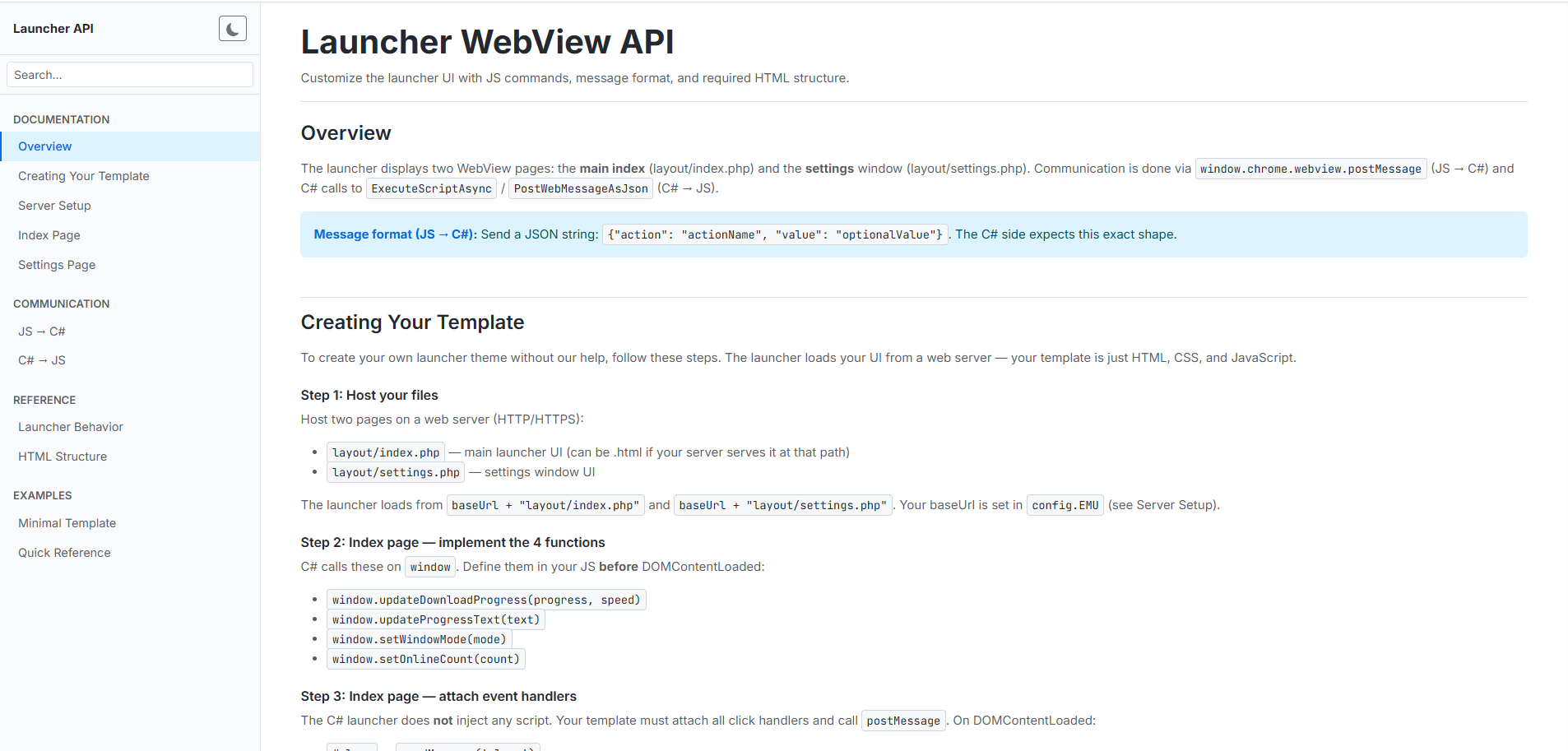
The Launcher WebView API powers MUEMU’s modern launcher interface. Your HTML, CSS and JavaScript define the UI, while the C# launcher handles updates, game start, settings and communication with the game.
What is covered in the docs?
The documentation walks you through hosting your layout, wiring the JS ↔ C# bridge and implementing all required callbacks so your custom theme behaves exactly like the official launcher.
- How the launcher loads
layout/index.phpandlayout/settings.phpfrom your web server - Required JavaScript functions the launcher calls, and what each one is responsible for
- Message protocol between JS and C# (actions like
close,openGame,openSettings,openLink,getSettingsand more) - Server‑side configuration:
config.EMU,config.json,checksum.jsonand theupdates/{N}.exeflow - HTML structure example and a quick reference you can copy straight into your template
Why use MUEMU APIs?
The Launcher WebView API is the foundation of a unified API layer for MUEMU tools, focused on predictable behavior, clear contracts and a web‑first customization model.
Easy to integrate
Build your launcher UI like a regular website and let the Launcher API handle download progress, online count, window mode and game start behind the scenes.
Security & versioning
Rely on the same config and checksum files across all themes so version checks, update downloads and connectivity stay consistent for every player.
Ready to grow
The same patterns will be used for future MUEMU APIs, so adding new integrations won’t require learning a different approach each time.
Getting started with the Launcher WebView API
Use these three steps as a high‑level checklist, then follow the documentation for exact file structures, examples and message formats.
Host your launcher files
Deploy the website files folder and your WebView pages to a publicly accessible web server. The launcher loads layout/index.php and layout/settings.php from this base URL.
Configure the launcher
Point config.EMU to your base URL and expose config.json, checksum.json and updates/{N}.exe exactly as described in the documentation.
Implement the WebView API
Implement the required JavaScript functions, attach the event handlers and use the documented message format so JS ↔ C# communication behaves exactly as the launcher expects.